
How to Create a Payment Link with Preselected Products
Below are the steps to create a payment link with preselected products, so your customers see the selected products by default when they open the checkout:
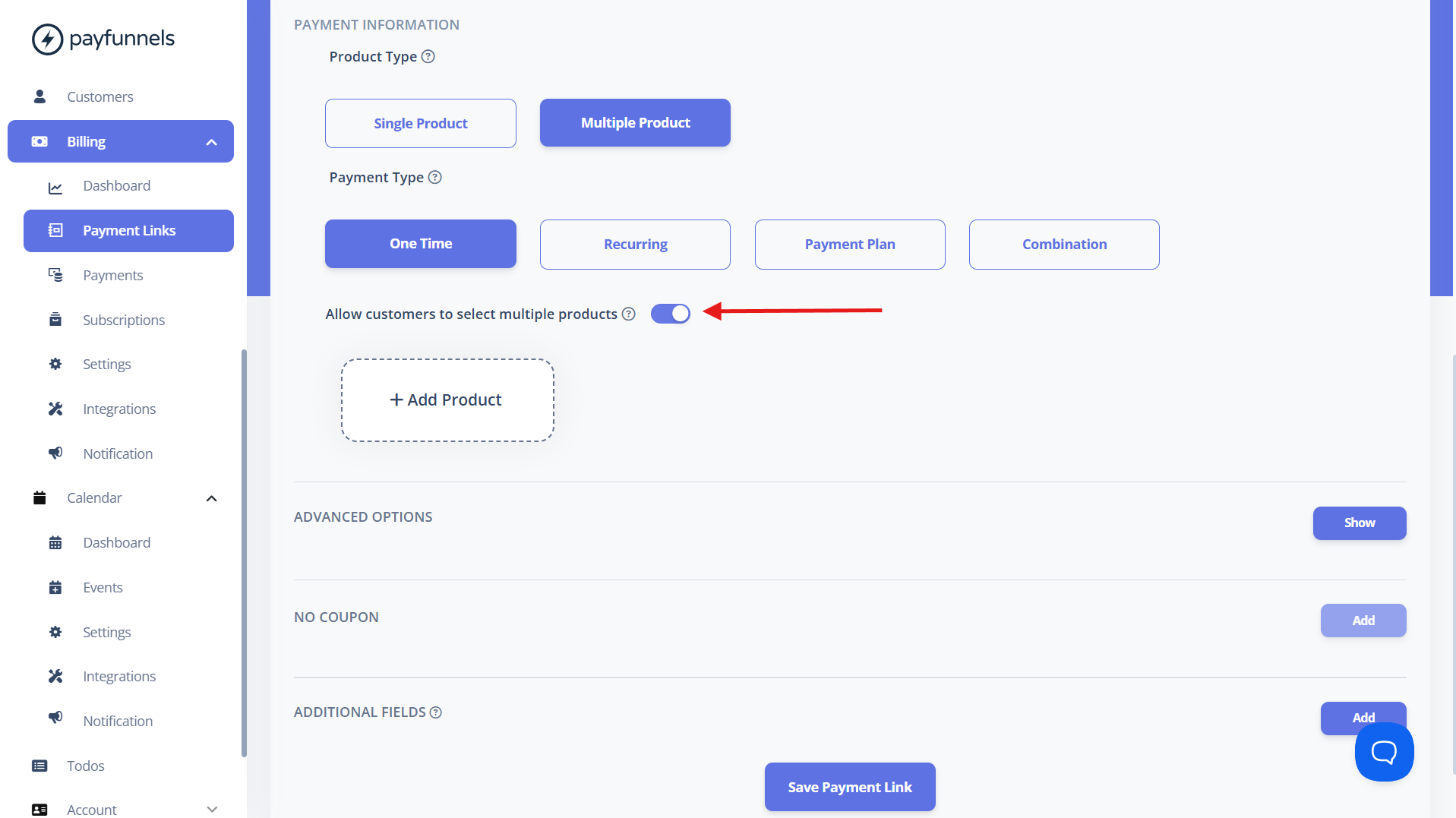
- While creating a Multiple Products payment link, enable the Allow customers to select multiple products toggle.
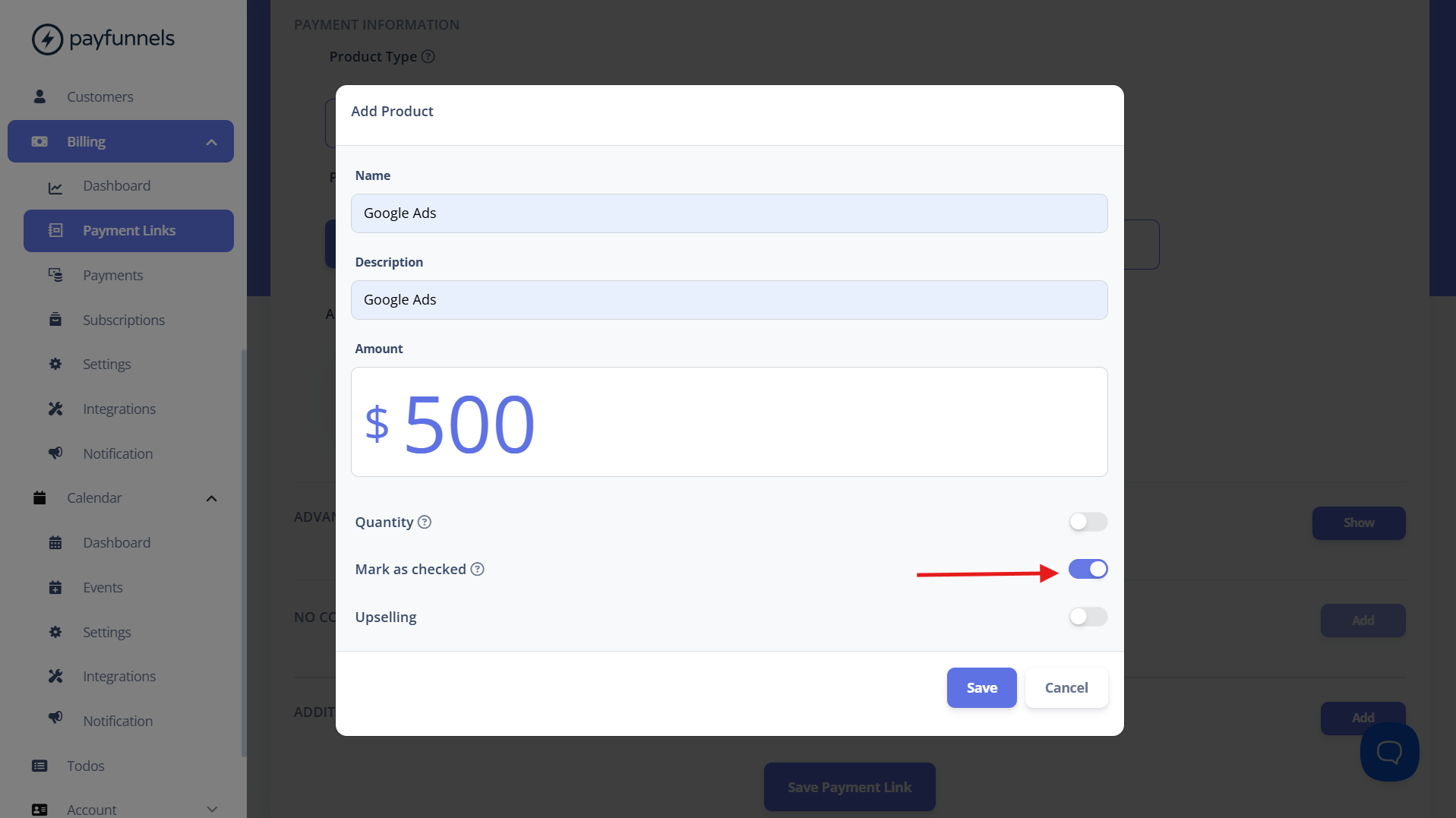
- As you create each product, enable the Mark as checked option for any product you want to preselect at checkout.
- Continue adding your products and mark the ones you want to be selected by default.
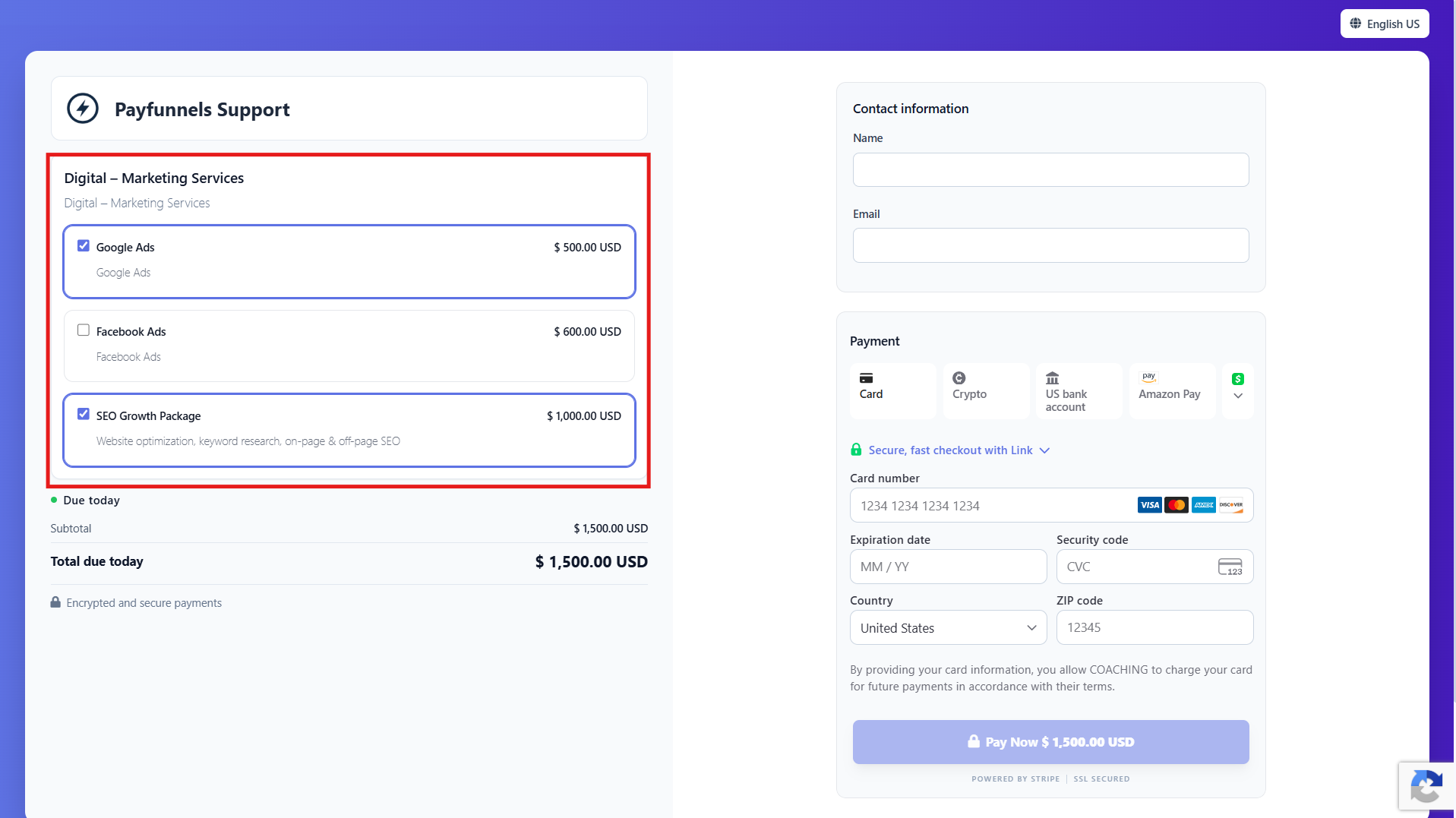
- Save and share the payment link with your customers. When they open the checkout, they'll see the products you marked as checked already preselected.
If you have any questions, feel free to email us at support@payfunnels.com.