
How can I allow Customers to manage their Subscriptions?
You can now allow your customers to manage their subscriptions using the Customer Portal.
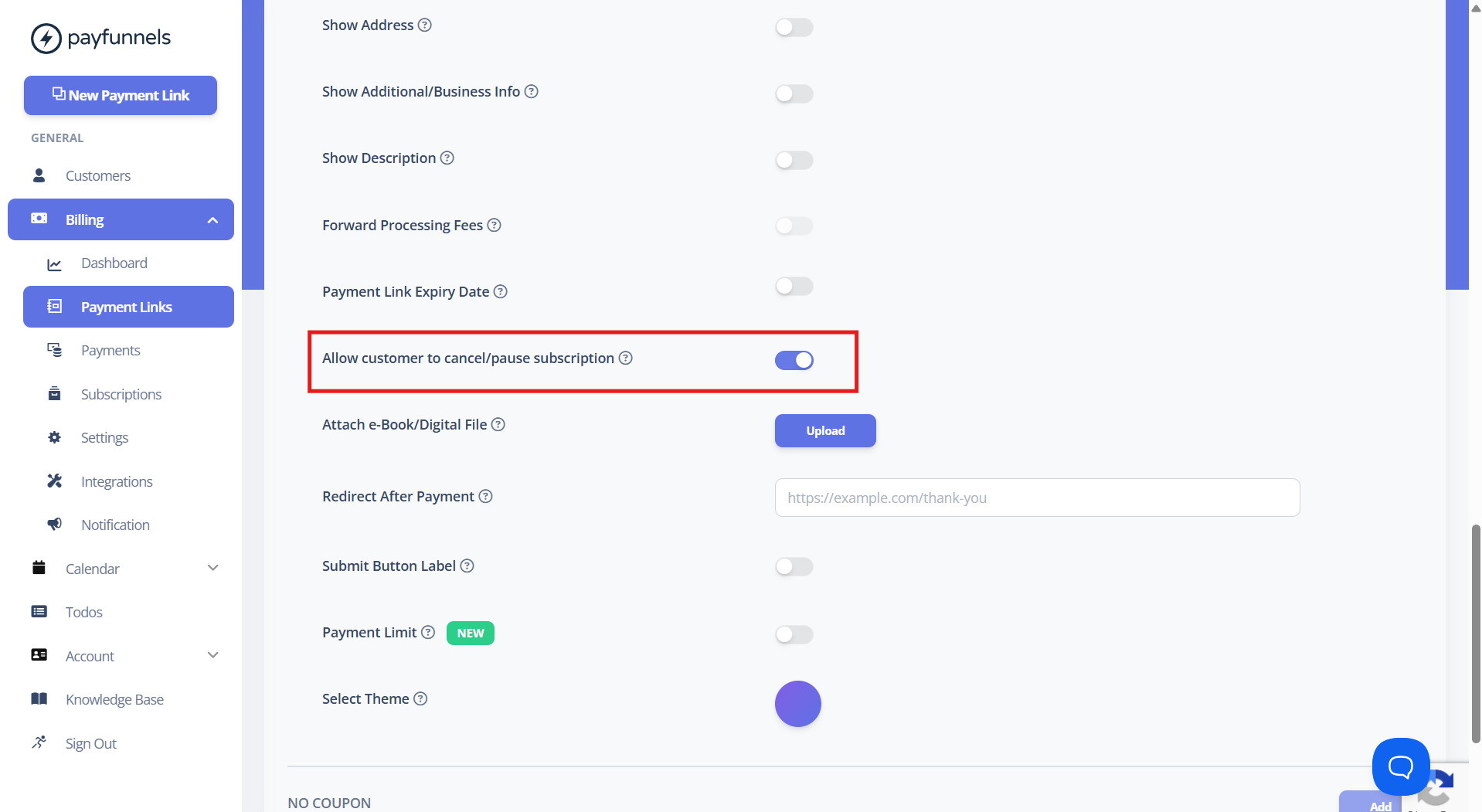
- To share subscription access with customers, go to Advanced Options while creating or updating the payment link and enable Allow customer to cancel/pause subscription toggle. Refer to the screenshot below for guidance.
- When this option is enabled, all customers who subscribe through this payment link will be able to access and manage their subscription through the Customer Portal.
- To enable this option by default for all new payment links, you can turn it on from Settings under the Billing section. Please click on the Save button after changing any settings. Refer to the screenshot below.
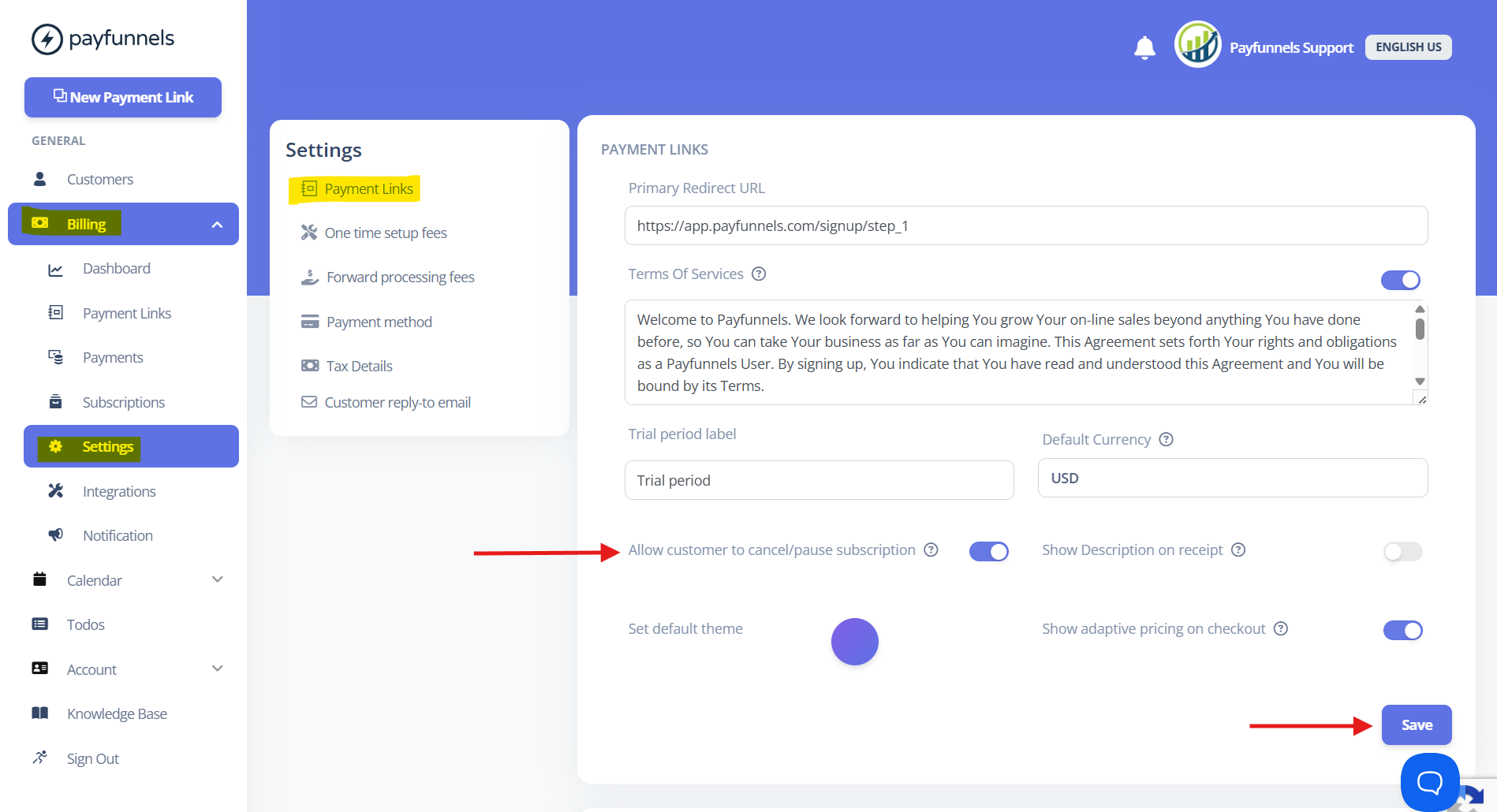
- Note: In other words, this option in Settings automatically enables the access toggle under Advanced Options, so you do not need to enable it manually when creating new payment links.
- Even if this option is enabled in Settings, you can disable it for specific payment links by turning it off under Advanced Options while creating or updating the payment link.
If you have any questions, please email us at support@payfunnels.com, we’re happy to help.